


Last updated: 16.04.2026
You no longer want to manage your Icinga configuration exclusively via configuration files? The Icinga Director makes exactly that possible: As a web-based configuration module for Icinga 2, hosts, services and templates can be conveniently created and managed via the Icinga web interface without having to manually edit configuration files.
No Icinga or Icinga Web installed yet? Then take a look at our instructions for installing Icinga 2 and Icingaweb first.
Step-by-step instructions for installing Icinga Director on Ubuntu 24.04
In this guide I will show you step by step how to install the Icinga Director on Ubuntu 24.04. install and set up. In the following steps, we install the Director, set up the database and create the resources in Icinga Web. In the end, you will be able to roll out changes directly via the Director and manage your monitoring environment centrally.
Step 1: Install Icinga Director
If you want to install the Director, use the following command:
apt install icinga-director Step 2: Set up the Icinga Director database
In order for the new Icinga module to be able to write and save its data, a specially created database is required. This is done with:
mysql -u root -p

CREATE DATABASE director CHARACTER SET 'utf8';

CREATE USER 'director'@'localhost' IDENTIFIED BY 'DeinSicheresPAsswort';

GRANT ALL ON director.* TO director@localhost;
Step 3: Create a new Icinga database resource
Now create the database resource in Icinga Web. This is done via the “Application” menu item. To find it, click on the cogwheel at the bottom left of Icinga Web 2.
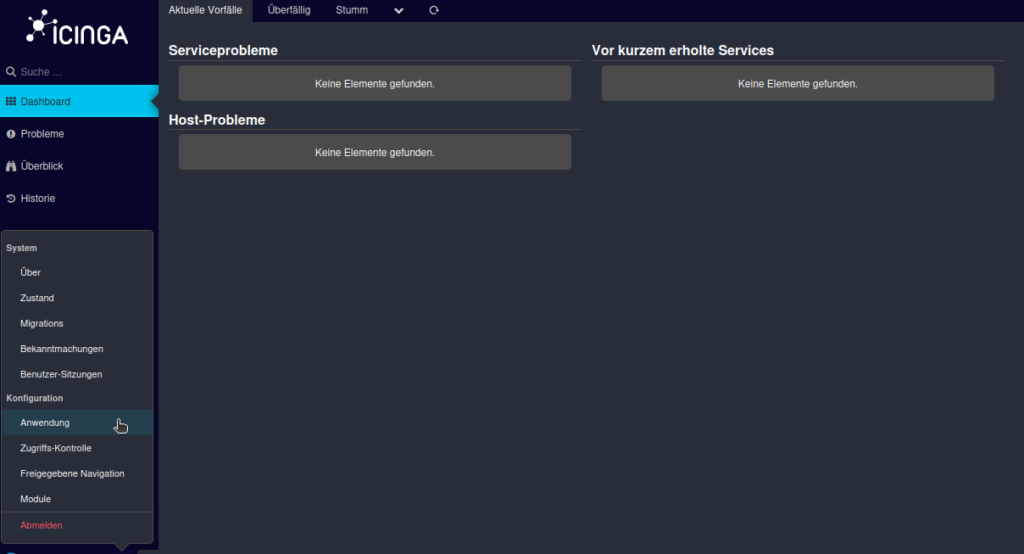
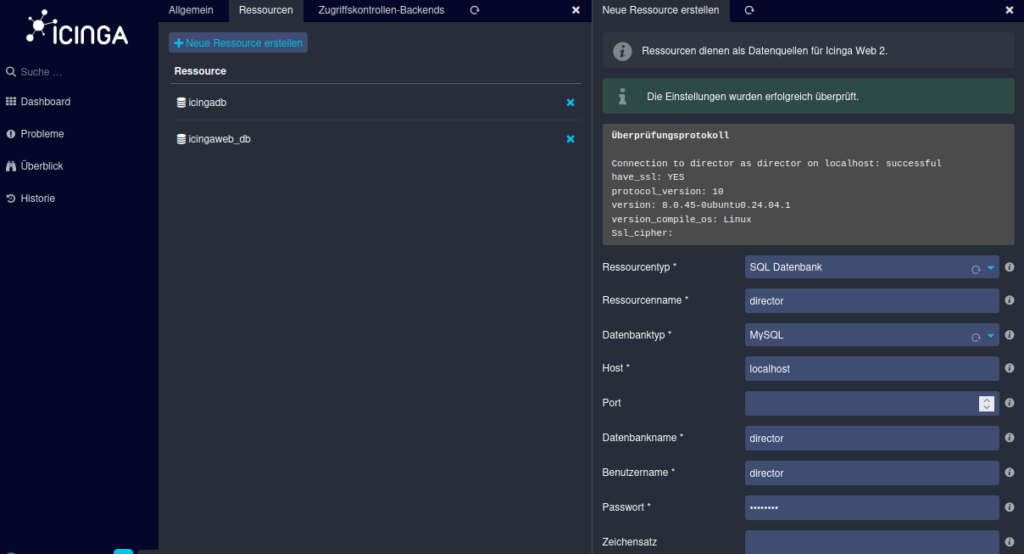
We are then in the “General” tab, which is highlighted in gray in the header. Next to it, switch to the “Resources” tab section. Now click on Create new resource.
Fill in the fields with the access data that you created for the Icinga Director database in step 2.
The sub-item “Icinga Director” appears on the left-hand side . We click on this to store a database resource. If it looks a bit strange, we press Ctrl + R and the usual beauty of Icinga shines through.
We store the database we have just created as the database to be used.
The following information is now required for the Kickstart Wizard:
Endpoint name: You can find this under /etc/icinga2/zonen.conf or you have memorized it in the Icinga Node Wizard during creation.
Next, the Icinga API user and its password are required.
Both can be found in the file /etc/icinga2/conf.d/api-users.conf.
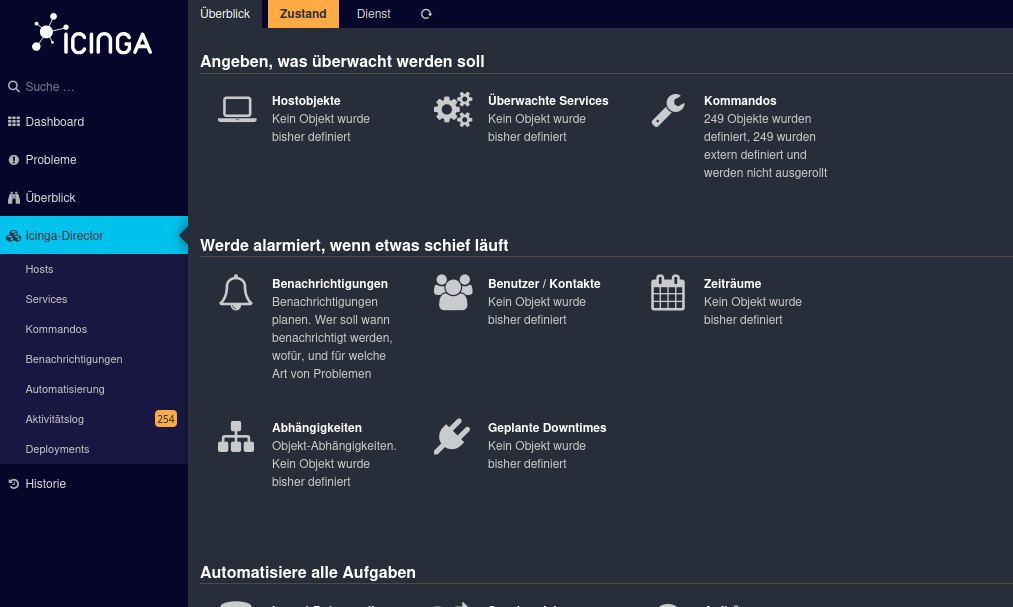
A three-digit number now appears on the left-hand side of the screen. This shows the changes made via the Director.
We now have to roll these out. In the menu bar of Icinga Director you will find the sub-item “Deployments”. Click on “Create configuration”.
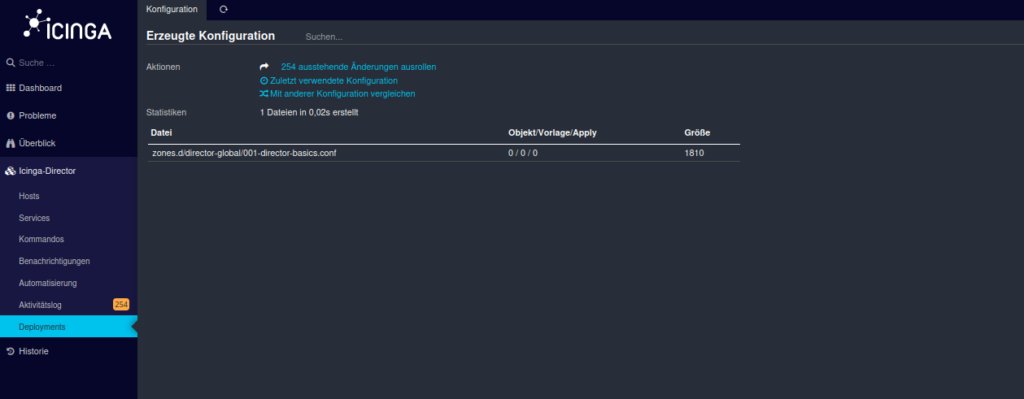
The final step now is to roll out the outstanding changes. You have now successfully installed the Icinga Director and fully set up the Icinga stack!
Problems or questions?
Icinga setups can quickly become complex depending on the environment. As a long-standing Icinga partner, we support you in planning, setting up and operating your monitoring infrastructure. Feel free to contact us at any time by e-mail at sales@netways.de, via our contact form or by phone!
